Game Day Checklist for High School Athletic Directors
October 15, 2026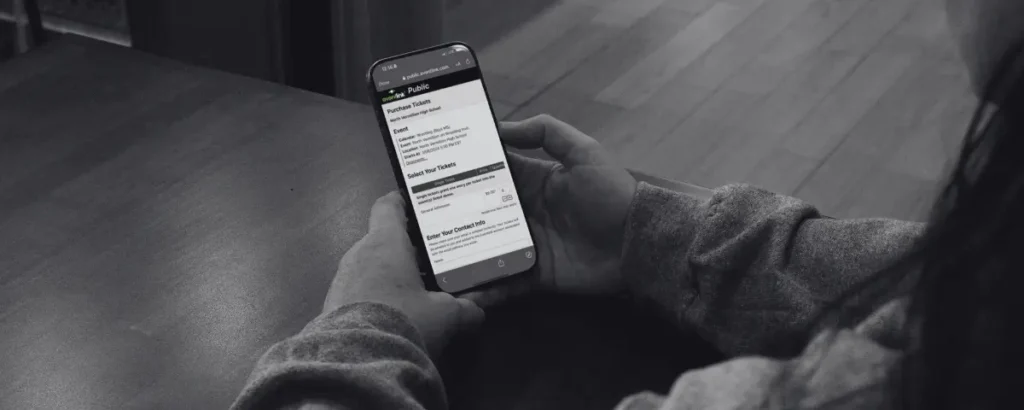
Digital ticketing can make game day easier for schools, staff, and fans, but simply creating a ticket does not always mean your community will know where to find it. If you want to increase digital ticket sales, the key is to make your ticket link easy to see, access, and use.
Think about how your fans learn about upcoming events. They may see a social media post, walk past a flyer in the school hallway, receive an email from the athletic department, or hear about the game from another parent. The more places your ticket information appears, the more opportunities you have to turn that interest into a ticket purchase.
Promoting digital tickets before game day can also help your athletic department beyond increasing sales. When more fans purchase tickets in advance, fewer people need to complete a transaction at the gate. That can mean shorter lines, faster entry, and less work for your game day staff.
Schools can increase digital ticket sales by making the purchase link visible, easy to access, and available wherever fans already get event information.
- Share the direct ticket link on social media several times before the event.
- Place ticket QR codes in high-traffic locations around the school and community.
- Send a game-day ticket reminder through Eventlink® Messaging.
- Work with local media, sponsors, and community businesses to promote upcoming events.
- Encourage fans to use the Eventlink® app to keep tickets and passes easy to find.
More advance purchases can mean fewer transactions at the gate, shorter lines, and a smoother game-day experience for fans and event staff.
1. Post Your Ticket Link on Social Media
Your school's social media accounts are one of the easiest places to promote upcoming events and digital tickets. Fans may already be checking Facebook, Instagram, X, and other social channels for schedules, scores, game-day updates, and school news. Make ticket information part of that same routine.
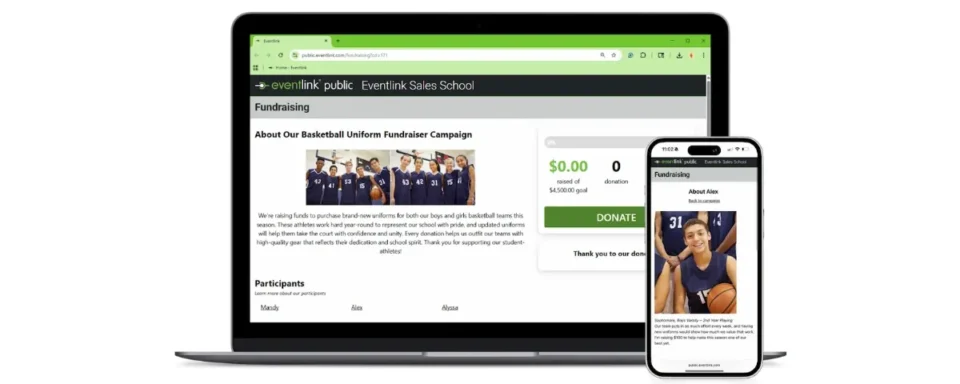
Within your Eventlink® ticket configuration, click the menu and select Get Public Purchase Link. From there, copy the ticket purchase link and include it in your social media posts. Instead of only posting that there is a game on Friday night, give fans an action they can take immediately.
For example, your post could say:
Friday night football is almost here! Purchase your tickets in advance and skip the ticket line when you arrive.
Then include the ticket link. This makes it much easier for someone to go from seeing your game announcement to purchasing a ticket.
Post more than once
Do not feel like you must share the ticket link only one time. Fans may miss your first post, especially if you publish it several days before the event.
Consider promoting tickets at multiple points throughout the week.
You might post:
- An event announcement earlier in the week
- A reminder the day before the game
- A final "Game Day" post the morning of the event
Each post gives your audience another opportunity to purchase.
For larger events, such as rivalry games, homecoming, tournaments, or post-season contests, you may want to begin promoting tickets even earlier. The goal is to keep the ticket link visible without making fans search for it.
Make the benefit clear
Do not just tell fans to buy tickets. Give them a reason to purchase early.
Messaging such as "Skip the line," "Get to your seat faster," or "Buy before you arrive" helps fans understand why advance purchasing benefits them.
That small change can make your ticket promotion feel less like an advertisement and more like a helpful game day tip.
Eventlink® Studio
Using Eventlink® Studio, you can create social media graphics for your upcoming events and include information about purchasing tickets.
Build a graphic that features:
- Your school's branding
- The teams playing
- Event date and time
- Location
- Ticket information
- A QR code to your ticket purchase link
Once the graphic is ready, you can share it directly to social media from Eventlink.
This allows your athletic department to promote the event and ticket sales at the same time.
2. Print the Ticket QR Code and Place It in High-Traffic Areas
Digital ticket promotion does not have to stay digital. A printed QR code can turn almost any physical location into a place where fans can purchase tickets.
Within your Eventlink ticket configuration, click the menu and select Get Public Purchase Link. From there, download the QR code associated with the ticket.
Then place those flyers in high-traffic areas throughout your school and community.
Good locations could include:
- The main school office
- School hallways
- The cafeteria
- Athletic facilities
- Concession stands
- Gym entrances
- Previous home events
- Local restaurants
- Banks
- Coffee shops
- Community centers
- Other businesses that support your school
The more visible the QR code is, the more chances fans have to purchase before game day.
3. Share the Ticket Link Through Eventlink® Messaging
Sometimes the best way to increase ticket sales is to put the purchase link directly in front of your community.
The morning of an event, use Eventlink® Messaging to send a reminder that includes your ticket purchase link. Your message can be short and direct.
For example:
It's game day! Buy your tickets ahead of time and save time at the gate.
Or:
Headed to tonight's game? Purchase your tickets now and get to your seat faster.
Include the ticket purchase link so fans can go directly from the message to checkout.
Why game day reminders work
People are busy. A parent may have seen your ticket post three days ago and planned to buy later. A student may have forgotten there was a home game. A community member may not decide to attend until that afternoon.
A game day reminder reaches fans when the event is top of mind. It can also help create urgency. The game is happening today, so there is a clear reason to act now rather than put off the purchase.
4. Local Advertising
Not everyone in your community follows your school's social media accounts or receives school messages. Local advertising can help you reach fans where they already spend their time and remind them about upcoming events and digital ticket options.
Consider promoting your games through local radio stations, community newspapers, small billboards, or other advertising opportunities in your area. Keep the message simple by including the event details and letting fans know they can purchase tickets in advance.
Take Advantage of Community Partnerships
Local businesses are often already invested in supporting their schools. If you have sponsors, booster club partners, or businesses that regularly support your athletic department, consider asking them to help spread the word about upcoming events.
They could display a ticket flyer, share your purchase link online, mention the event in an email newsletter, or promote the game through their own social media channels.
That gives your ticket promotion another audience without relying entirely on your school's communication channels. The more places your community sees your event and ticket information, the more opportunities fans have to purchase before game day.
Local advertising helps take digital ticket promotion beyond the school walls and puts your purchase information in front of the wider community that supports your athletes.
5. Encourage Fans to Download the Eventlink® App
Getting fans to purchase digital tickets is only part of the process. You also want those tickets to be easy to find when fans arrive at the gate.
The Eventlink® app acts as a digital wallet for Eventlink® tickets and passes, giving fans one convenient place to store and access their purchases. Instead of searching through emails or trying to find an old text message while standing in line, fans can open the Eventlink® app and access their ticket.
At the gate, they simply open the app, select the ticket they need, and have it ready to scan or validate.
Promote the app throughout the season
Do not wait until fans arrive at the entrance to tell them about the Eventlink® app. Include reminders in your ticket promotions throughout the year.
The more familiar fans become with the app, the easier the ticketing process can become.
Make Your Digital Tickets Easy to Find
Increasing digital ticket sales does not have to mean completely changing the way you promote your athletic events. Often, it comes down to making ticket information visible in more places.
Post your purchase link on social media. Put QR codes around your school and community. Send a game day reminder through Eventlink® Messaging. Create attention-grabbing graphics with Eventlink® Studio. Encourage fans to store their tickets and passes in the Eventlink® app.
And with Eventlink® as the Official and Exclusive Digital Ticketing Partner of the NIAAA, schools can feel confident using a ticketing solution built to support high school athletics.
Most importantly, make purchasing easy. Your fans should not have to search through several pages of your website, scroll through old posts, or wait until they reach the gate to figure out where to buy a ticket. Put the purchase link where your community already is.
When fans have more opportunities to buy tickets in advance, your school has more opportunities to increase digital ticket sales and to create a faster, more convenient game-day experience.
More advance purchases can mean fewer transactions at the gate, shorter lines for fans, and an easier ticketing process for your event staff.
That is a win before the game even starts!