6 Benefits of Accepting Credit Card Payments at High School Athletic Events
September 21, 2026
Game Day Checklist for High School Athletic Directors
October 15, 2026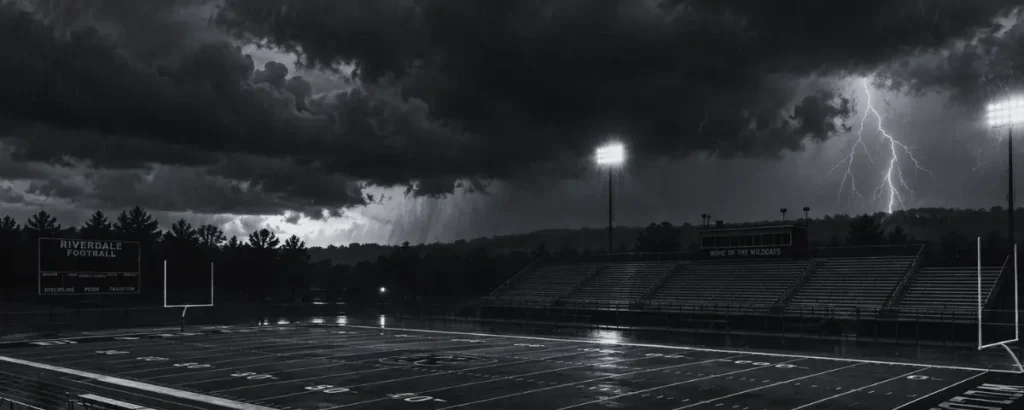
You can plan every detail of game day, but there is one thing your athletic department cannot control … the weather.
A storm rolls in. Lightning is spotted. The field becomes unplayable. Suddenly, the game you’ve spent days preparing for is delayed, postponed, rescheduled, or canceled altogether. Now you have more to worry about than the weather.
- What happens to the tickets fans already purchased?
- Do you need to notify officials and event workers?
- What if fans have already entered the stadium and had their tickets scanned?
- If the game is moved to tomorrow, will those same tickets still work?
- And if the event is canceled completely, how do refunds work?
When game-day weather changes quickly, athletic directors need a way to update everyone without adding even more steps to an already hectic situation. With Eventlink®, your event schedule, notifications, workers, officials, and digital tickets are connected, making it easier to respond when bad weather changes your game-day plans.
Here are three common weather-related ticketing scenarios and what to do in each one.
Scenario 1: What Happens When a Game Is Rescheduled Before Tickets Are Scanned?
Imagine the rain starts several hours before your game. After checking the forecast and field conditions, you decide to postpone tonight's event to tomorrow. Fortunately, fans have not yet entered the venue, so none of the tickets purchased for the original event have been scanned or validated.
What should you do?
Start by rescheduling the event in . When you update the event, you can select who you want to notify about the schedule change. Depending on the event, that may include your community, event workers, and officials. This helps you handle multiple parts of the schedule change at once instead of updating the event and then trying to remember everyone who needs to hear about it.
Once the event has been rescheduled, the associated ticket configuration will also update to reflect the new date. That means fans who already purchased tickets don’t need to buy another ticket just because the date changed. Their existing ticket remains connected to the event.
Scenario 2: How Do You Handle Rescheduled Games When Tickets Have Already Been Scanned?
Now imagine a different situation. The gates have already opened. Fans are in the stands. Tickets have been scanned. The teams may have even started warming up. Then the weather changes.
Lightning moves into the area, rain intensifies, or field conditions become unsafe. After a delay, the decision is made to stop the event and reschedule it for another day. This situation requires an additional step because some or all the tickets have already been validated.
If nothing changes, a ticket that has already been scanned may appear as used when the fan returns for the rescheduled event. That’s where resetting attendance becomes important.
Reset attendance on the ticket configuration
Within the ticket configuration, reset attendance for the event. Resetting attendance allows tickets that were already validated at the original event to be used again when fans return for the rescheduled game. This means the family that already entered the stadium doesn’t have to purchase another ticket simply because weather prevented the event from being completed.
Once attendance has been reset, communicate that information to your community.
Using Eventlink® Messaging, you can notify school subscribers that the event has been rescheduled and that their purchased tickets will still be valid for the new date.
That communication can save your staff a lot of questions later. Without clear instructions, fans may wonder:
- "Do I need to buy another ticket?"
- "My ticket was already scanned. Will it still work?"
- "Do I need to request a refund and repurchase?"
- "Should I bring the same ticket?"
A simple message can clear up all those concerns before the rescheduled game takes place.
Scenario 3: How Do You Process Refunds When a Game Is Canceled Completely?
Sometimes there is no rescheduled date. Maybe the remaining season schedule doesn’t allow enough time to make up the contest. Perhaps the teams agree not to replay it. Or another circumstance means the event must be canceled.
If fans purchased digital tickets for an event that will no longer take place, you may need to issue refunds. Eventlink® helps make that process easier.
When you select the option to cancel the game, Eventlink® will ask whether you would like to request a refund for the tickets associated with that event. If you select yes, tickets that have already been purchased will be refunded, and the ticket holder will be notified.
Instead of manually tracking down each ticket purchase, contacting every fan individually, and processing refunds one at a time, the refund process can be handled as part of canceling the event.
Make sure your cancellation message is clear
Even when ticket holders receive refund information, it’s still a good idea to communicate the cancellation to your broader community.
Your cancellation message should clearly state that the event will not be rescheduled. If applicable, you can also let fans know that previously purchased tickets will be refunded.
The clearer your communication, the less likely your staff will be to answer the same question repeatedly via calls and emails.
| Weather Scenario | Status of Digital Tickets | Action Required in Eventlink | Community Communication |
|---|---|---|---|
| Rescheduled (Not Scanned) | Tickets remain connected; date auto-updates | Reschedule event under the Athletics tab | Auto-notify community, workers, and officials |
| Rescheduled (Already Scanned) | Tickets marked used until attendance is reset | Reschedule event; reset attendance on ticket configuration | Send Eventlink Messaging broadcast to subscribers |
| Canceled (No Reschedule) | Tickets require refund | Cancel game; select yes to refund tickets | Send clear broadcast stating game is not rescheduled |
How Should Athletic Departments Prepare for Bad Weather Before the Season?
You may not know when a storm is coming, but you can prepare your game-day process in advance.
Before the season gets busy, make sure the staff members who may be responsible for weather-related changes know how to:
- Reschedule an event in Eventlink®
- Cancel an event
- Select which groups should receive notifications
- Reset ticket attendance when necessary
- Communicate with school subscribers
- Handle ticket refunds for canceled events
It’s much easier to navigate these steps when your team already knows the process.
That preparation is especially valuable during fall and spring sports, when weather conditions can change quickly, and schedules may be adjusted several times throughout a season.
How Does Eventlink® Make Weather Changes Easier to Manage?
No athletic director wants to cancel a game, especially after the gates have opened and the stands are filling up. But weather happens.
When it does, having a clear process can make a stressful situation much easier to manage:
- If an event is rescheduled before tickets are scanned, update the event and let Eventlink® move the ticket configuration to the new date.
- If tickets have already been scanned, reset attendance so those same tickets can be used when fans return.
- If the game is canceled completely, you can choose to refund purchased tickets during the cancellation process.
- Then use Eventlink® Messaging and event notifications to keep your community, workers, and officials informed.
Eventlink® Tickets gives athletic departments more than a way to sell admission. With real-time event updates, Eventlink® Messaging, attendance resets, ticket refunds, and connected scheduling, you have tools to help manage the unexpected from the first weather alert to the final schedule update.
You cannot control when the rain starts, but you can make what happens next a whole lot easier.
FAQ
Ready to make it easier for your athletic department to update schedules when game day weather changes?