How Can High School Athletic Directors Plan for Game-Day Weather Changes with Eventlink®?
September 21, 2026
5 Ways to Increase Digital Ticket Sales for School Events
October 15, 2026
It’s game day! Although things are about to get busy, they don’t have to feel out of control or hectic. A little preparation can go a long way toward creating a smoother experience for your staff, officials, workers, and fans.
With Eventlink®, you can take care of many of your game day responsibilities well before kickoff. From preparing your card readers and promoting tickets to confirming workers and getting the concession stand ready, use this game day checklist to make sure you’re ready when fans start arriving.
A smooth game day comes from six checks completed before fans arrive:
- Card readers: Charge them until all four lights are green, then test the connection to your ticket taker's device. The Ticket Takers tab in the Eventlink® app opens eight hours before the event starts.
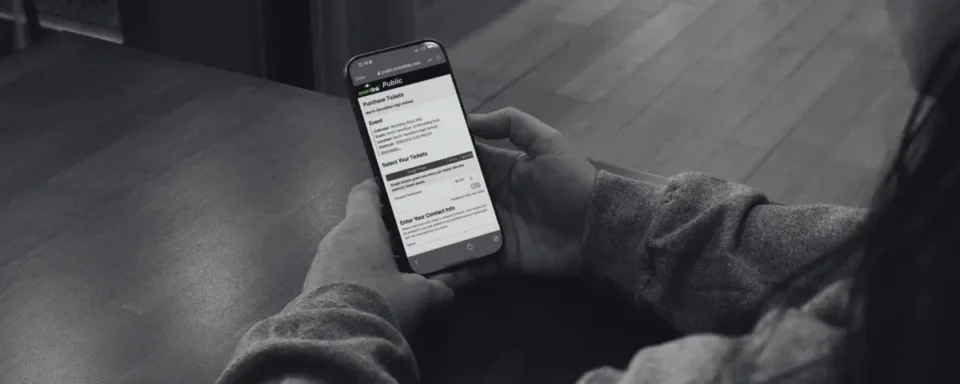
- Tickets: Share your ticket purchase link in the days before the game. Use social media, Eventlink® Studio graphics, Eventlink® Messaging, or a printed QR code. At the gate, run separate lines for pre-purchased and walk-up fans.
- Concessions: Power on and connect your Eventlink® Kiosks. Confirm that items and prices are correct, and mark sold-out items as unlisted.
- Workers: Confirm that every ticket taker, concession worker, announcer, and other staff member is assigned and has confirmed.
- Officials: Verify assignments ahead of time. If you use Eventlink® Pay, get payment details ready as well.
- Wi-Fi: Confirm a reliable connection at the gate and keep a hotspot as a backup.
Charge and Test Your Card Readers
Before the event begins, it's crucial to ensure that all your card readers are fully charged and functioning properly.
Start by making sure each card reader is fully charged. When you turn on your reader, you should see four green lights indicating a full charge.
Next, test the connection between your card reader and the device your ticket taker will be using. The Ticket Takers tab in the Eventlink® app becomes available 8 hours before a ticketed event's start time, giving you plenty of time to ensure everything is working properly.
Don't forget to check your internet connection too. Make sure you have a reliable Wi-Fi connection at the gate, and consider setting up a hotspot as a backup. Remember, only one card reader can be connected to each device at a time.
Taking a few minutes to test everything before your ticket takers arrive can save you from troubleshooting while a line of fans waits at the gate.
Get Your Tickets in Front of Fans
Long ticket lines can put a damper on game day before fans even make it through the gate. Fortunately, a little preparation before the event can make a big difference.
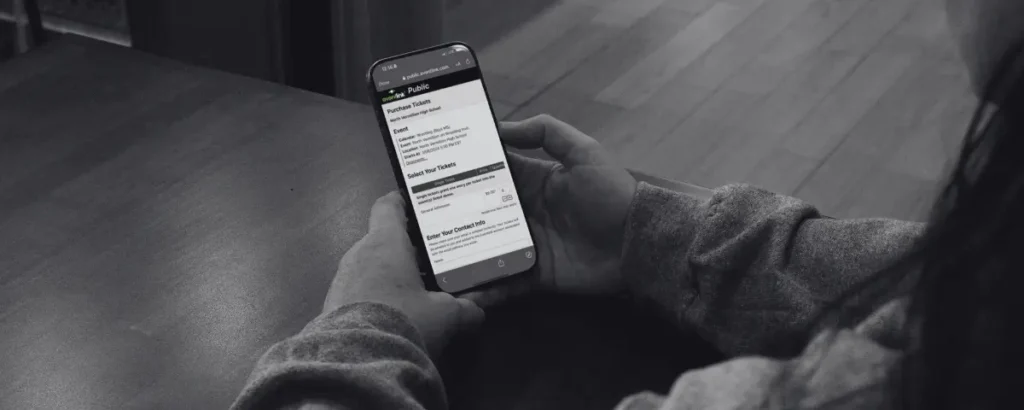
Don't wait until fans arrive at the school to encourage them to purchase tickets. Promote your ticket purchase link throughout the days leading up to the game so fans can buy their tickets in advance.
With Eventlink®, you can share your ticket purchase link through your school’s social media accounts, create an event graphic in Eventlink® Studio, send the link directly to your community using Eventlink® Messaging, or download and print the event QR code to display around your school and community.
On the morning of the game, consider sending one final reminder through Eventlink® Messaging with a direct link to purchase tickets. A quick message like, “It’s game day! Purchase your tickets before heading to the game tonight.” gives fans one more opportunity to buy before they arrive.
At the gate, consider creating two clearly marked lines: one for fans who have pre-purchased their tickets and another for fans who still need to purchase tickets. This can help your ticket takers scan pre-purchased tickets quickly while keeping purchases from slowing down the entire line.
You can also encourage fans to create an Eventlink® account and download the free Eventlink® app ahead of time. The app gives fans one convenient place to access their Eventlink® tickets and passes, helping them pull up their tickets faster when it’s their turn to enter.
The goal is to get fans through the gate and into their seats as quickly as possible.
Prepare Your Concession Stand Kiosks
What’s game day without a trip to the concession stand?
Before fans start deciding between popcorn, nachos, and candy, make sure your Eventlink® Kiosks are ready for the rush.
Just like your ticketing setup, take time before the game to check the devices and equipment your concession workers will be using. Make sure everything is powered on, connected, and ready to accept payments before the concession stand opens.
It's also a good idea to review your Kiosk items in advance. Are your products and prices correct? Are sold-out items marked as unlisted? Have you added any new products you plan to sell that night?
Once your Kiosk is ready, make sure the workers running the concession stand know how to use it. Even a quick refresher before the doors open can help your staff feel more comfortable as the line grows.
Preparing ahead of time helps keep concession lines moving so fans can grab their snacks and get back to the action.
Confirm Your Game Day Workers
Ticket takers? Check. Concession workers? Check. Announcer? Check.
Your game can't run smoothly without the people working behind the scenes, so take a few minutes to review your scheduled event workers before game day begins.
In Eventlink®, check that all the workers needed for your event have been assigned and confirmed. Depending on the event, that might include ticket takers, concession workers, scorekeepers, announcers, security personnel, custodial staff, or other game-day personnel.
If someone hasn't confirmed, following up before the event gives you time to find a replacement rather than scrambling minutes before the game starts.
You can also use Eventlink® to manage worker payments, helping you keep another post-game task organized alongside the rest of your event information.
A quick worker check before the game can prevent a big headache later.
Double-Check Your Officials
Your workers aren't the only people you should confirm before the game. Take a minute to make sure your officials are ready too.
Review the officials assigned to your event and verify that everything looks correct. Knowing who is scheduled in advance gives you an opportunity to address a missing assignment or a discrepancy before it becomes a game-time problem.
If you're using Eventlink® Pay, you can also make sure everything is ready to pay your officials after the event. Having those details organized ahead of time means one less administrative task to worry about once the final whistle blows.
Your Final Game Day Check
Before the first fan walks through the gate, take one last look at your game day setup:
- Card readers are charged and connected
- Wi-Fi and backup hotspot are ready
- Ticket purchase links have been shared
- Kiosks and concession items are ready
- Event workers are assigned and confirmed
- Officials are confirmed
Then, it’s time for the game.
Game day will always come with plenty of moving pieces, but preparation can keep those pieces from becoming problems. By taking care of the details ahead of time, you can create a better experience for your staff, visiting teams, officials, and fans while giving yourself more time to enjoy the event too.
With Eventlink®, you can manage the details that keep game day moving from one spot.